Exchange Online (External) Mail Contacts


When talking about Exchange Online external recipients, three object types often come into play: Mail Contacts, Guest Mail Users and Mail Users. While they all represent external entities, their underlying structure and management differ significantly. You may wonder what is the difference between them, they all sound the same, which is a valid point, as their names are usually easily confused, so that's what we are trying to clarify today.
1. Mail Contact: "The Classic" External Entry
The Mail Contact is a traditional Exchange object used even in the times of Exchange OnPremises to represent an external person or entity which has an external email address. Say an external partner, provider, client your organization works often with.
It's not an actual user account, you cannot log in with it, nor assign permissions to it. It primarily holds an external email address (i.e. user@externaldomain.com), to which internal users can send mails. It resides directly in your Azure Active Directory and syncs with EXO. It's main purpose is that you can easily look it up via the company Address Book (GAL / Global Address List) in Outlook/OWA without having to remember the full address.
You can choose to Hide/Unhide it via GUI or PowerShell:
Set-MailContact -Identity "Contact Name" -HiddenFromAddressListsEnabled $true
You can easily update / edit the email address or display name as per your needs directly from Exchange GUI or PowerShell.
You create it from the Exchange Online: 
2. Guest Mail User: The Azure AD Collaboration Object
Often referred to as a "Guest User" or simply "Guest" in the context of B2B Collaboration. It's a special object in Azure AD, created when you invite an external user to your tenant (for access to SharePoint, Teams, Groups etc..)
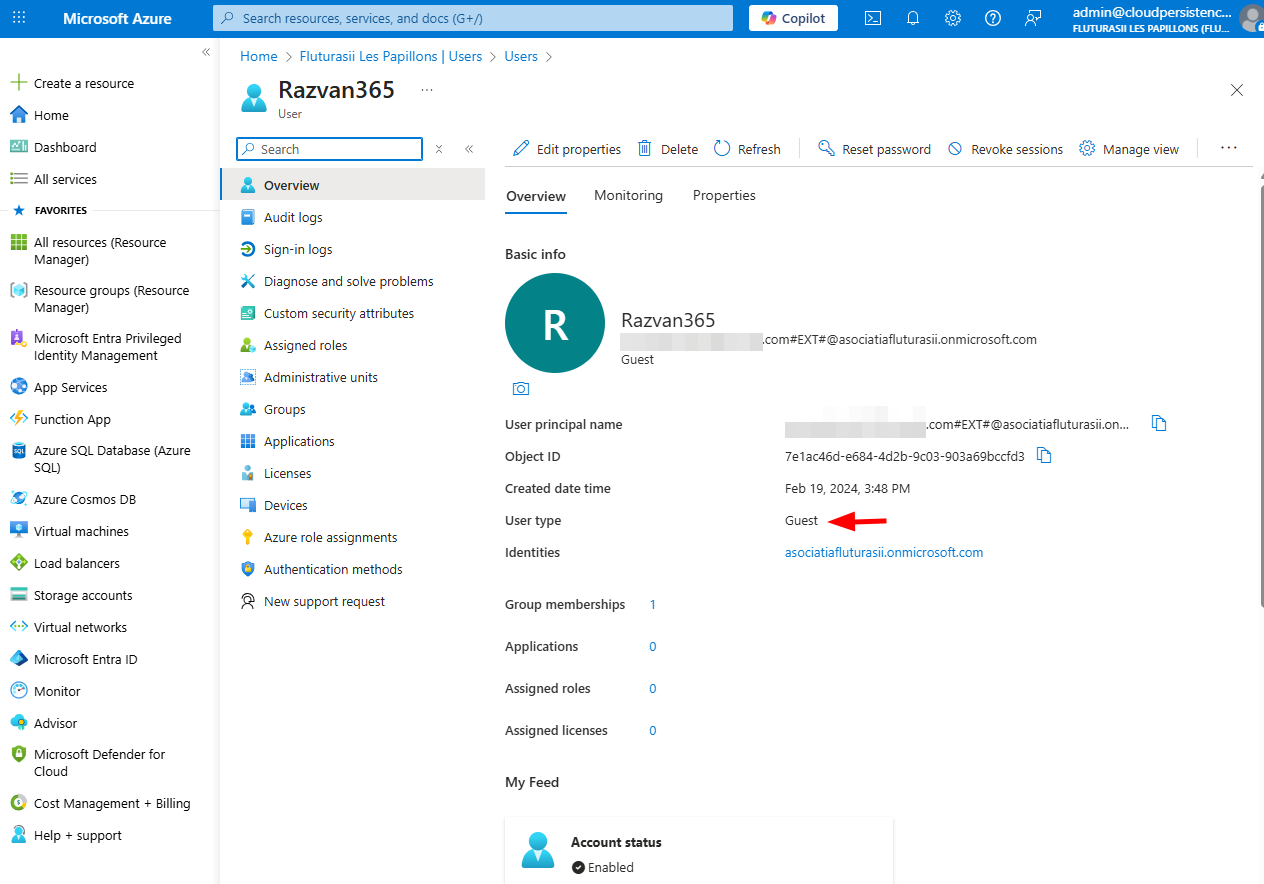
It can log in your tenant with their external credentials (using Azure AD B2B) and access resources based on their assigned permissions. When created in Azure, a corresponding object is provisioned in Exchange Online. This object uses the external user's (from Azure) as its primary SMTP address. It's non-editable from Exchange Online GUI/Admin Center, so if you need to update the email address, you'll need to do it from Azure! Also, by default it's hidden from GAL, so if you need to show it, use GUI (Exchange Admin Center), or PowerShell:
Set-MailUser -Identity "GuestUser_externaldomain.com#EXT#" -HiddenFromAddressListsEnabled $false
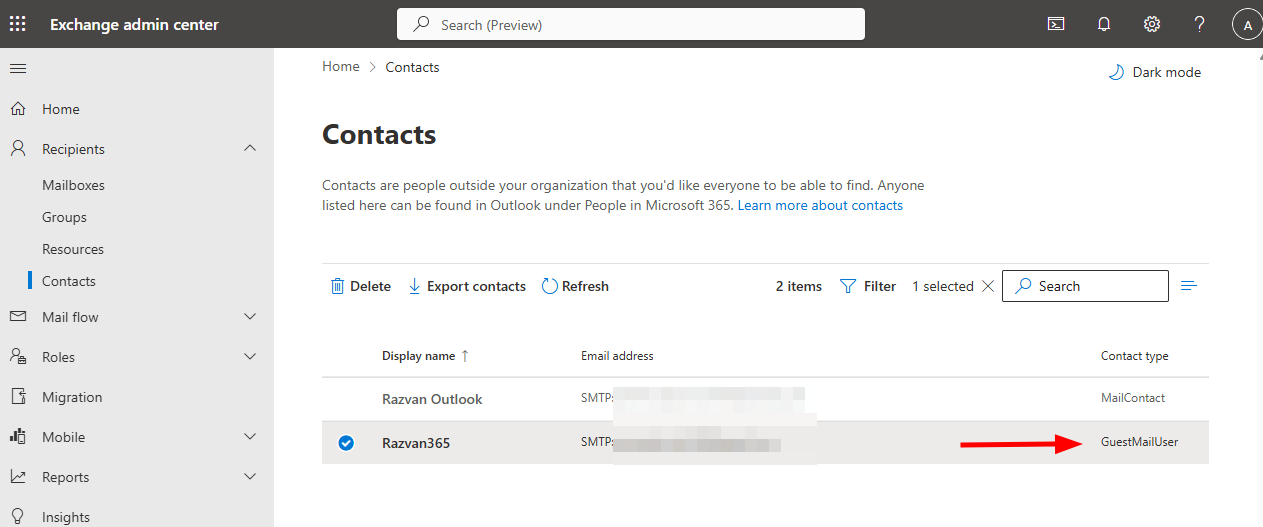
Perfect for like an external contractor / freelance consultant etc. Here's how it looks like in both Azure and Exchange:
3. Mail User: Internal Login, External Mailbox
A Mail User (sometimes called Mail-Enabled User) is also a relic from the past from the days of onprem resource forest and account forest.. Ouf.. It's used when you have a user account that needs to be able to log in and access resources within your M365 Tenant, but whose actual mailbox is hosted externally (i.e they work for a partner company with its own email system).
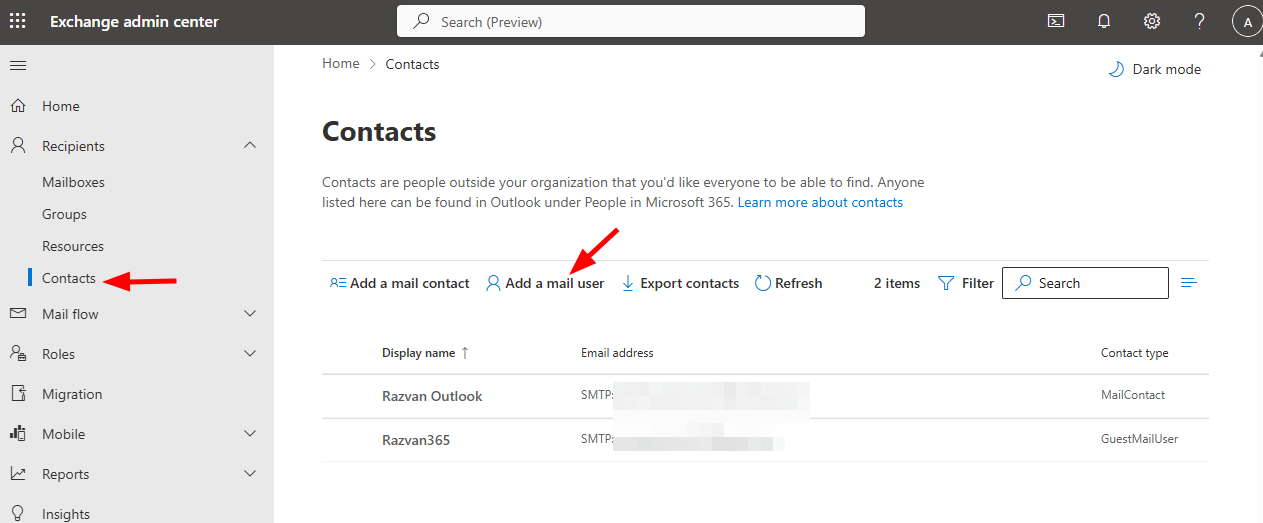
It has a User account in your Azure AD (they can sign in) and can be assigned licenses, or be added to security groups. It does not have a mailbox n your Exchange Online, e-mails will be sent to their specified External Email Address. It's created by enabling an existing non-mail-enabled user account as a MailUser, or by creating a new user and specifying an external email address during the process. There's a special button for it in the EAC:
By default it's visible in GAL, and you can hide it as you do with the Guest Mail User (option 2).
I would say this one is the lesser used of the 3. Personally I rarely came across organizations that used this one.
Conclusion
Contact types can be a bit confusing in Exchange, but they've made so that for every possible scenario of external collaboration, you are pretty much covered, and you have options. In the future, if you need to quickly differentiate between the 3, revisit the above information. Consider becoming a member if you haven't already, thank you!